
SPF DKIM DMARC Setup Guide
Email authentication using SPF, DKIM and DMARC setup is essential for preventing spoofing and improving email deliverability. Correct configuration ensures that email providers trust your domain.
SPF, DKIM and DMARC are authentication protocols that help email providers verify that messages are sent from legitimate servers and have not been altered during transmission.
Together these records protect domains from spoofing, improve sender reputation, and increase the likelihood that messages reach the inbox instead of spam folders.
Email providers such as Gmail and Microsoft 365 rely heavily on authentication signals when deciding whether a message should reach the inbox. If SPF, DKIM, or DMARC records are missing or misconfigured, messages are far more likely to land in spam folders.
Understanding how these authentication protocols work and configuring them correctly is a critical step in building reliable cold email infrastructure.
What SPF DKIM DMARC Authentication Means
- SPF verifies the sending server
- DKIM signs the message with a cryptographic signature
- DMARC defines authentication policy and reporting
Why Email Authentication Is Important
Modern spam filtering systems rely heavily on authentication signals when evaluating emails. If SPF, DKIM, or DMARC records are missing or incorrectly configured, email providers may treat messages as suspicious.
Proper authentication improves sender trust, protects domains from impersonation attacks, and significantly improves deliverability performance. Misconfigured authentication records are one of the most common causes of emails going to spam.
- Prevents domain spoofing
- Improves email deliverability
- Builds sender reputation
- Protects domain identity
SPF DKIM DMARC Setup Checklist
| Protocol | Purpose |
|---|---|
| SPF | Authorizes servers allowed to send emails from your domain. |
| DKIM | Adds a cryptographic signature to verify message integrity. |
| DMARC | Defines policy and reporting for authentication failures. |
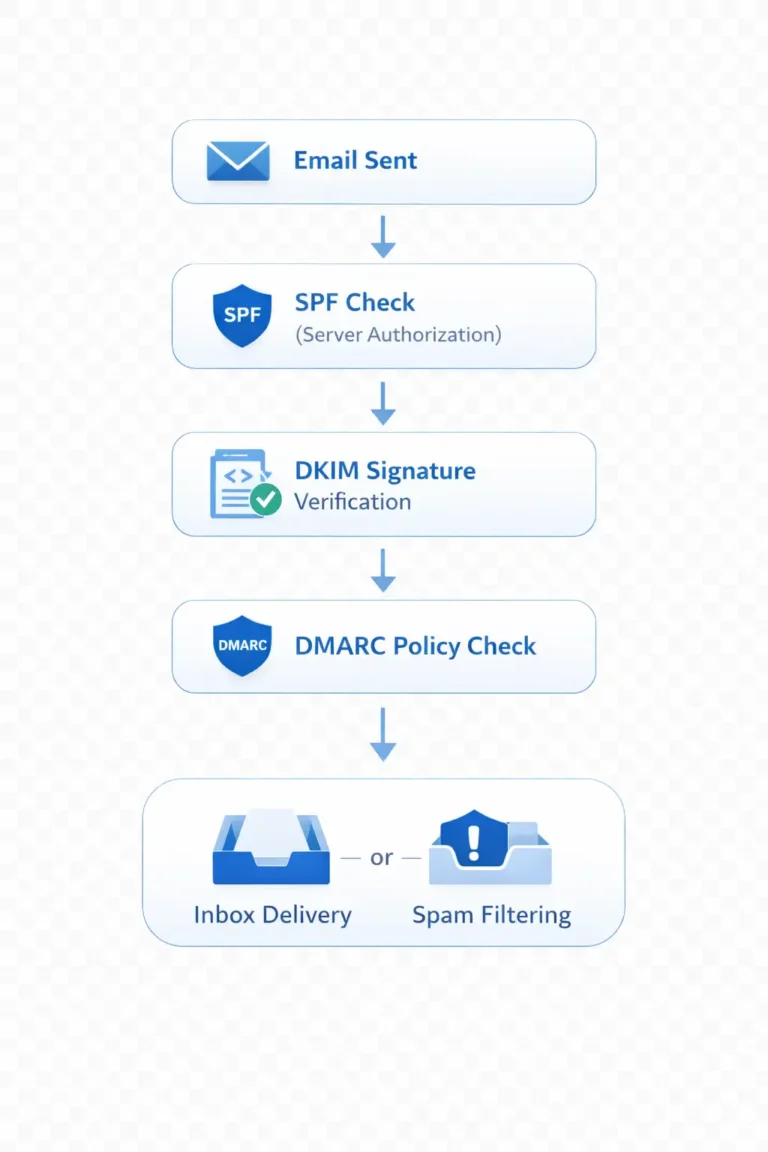
How to Configure SPF DKIM DMARC
- Identify all email sending services used by your domain
- Create SPF record listing authorized sending servers
- Enable DKIM signing within your email platform
- Configure DMARC policy to monitor authentication results
- Verify records using domain diagnostic tools
After configuring authentication records, it is recommended to run email deliverability testing to verify that inbox placement improves and spam filtering issues are resolved.
Need Help Configuring Email Authentication?
If authentication records are missing or incorrectly configured, emails may fail deliverability checks. Professional infrastructure setup ensures authentication records are correctly implemented and monitored.
SPF DKIM DMARC Setup FAQs
What is SPF DKIM DMARC?
SPF, DKIM and DMARC are authentication protocols that help email providers verify the identity of a sending domain and ensure messages have not been altered during delivery.
Why are SPF DKIM DMARC important?
These authentication records protect domains from spoofing attacks and significantly improve email deliverability by helping email providers trust the sender.
How do I check if SPF DKIM DMARC are configured?
Authentication records can be verified using domain diagnostic tools that analyze DNS records and authentication alignment.
Can emails work without authentication?
Emails can technically be sent without authentication, but most modern email providers will treat unauthenticated messages as suspicious, causing them to land in spam folders.