
Email Deliverability Testing Guide
Learn how to test email deliverability, analyze inbox placement, and identify issues causing emails to land in spam folders.
Email deliverability testing helps identify problems affecting inbox placement before outreach campaigns scale. Testing verifies authentication records, domain reputation, and spam filtering behavior across major email providers.
What Is Email Deliverability Testing?
Email deliverability testing checks whether emails reach the inbox instead of spam folders.
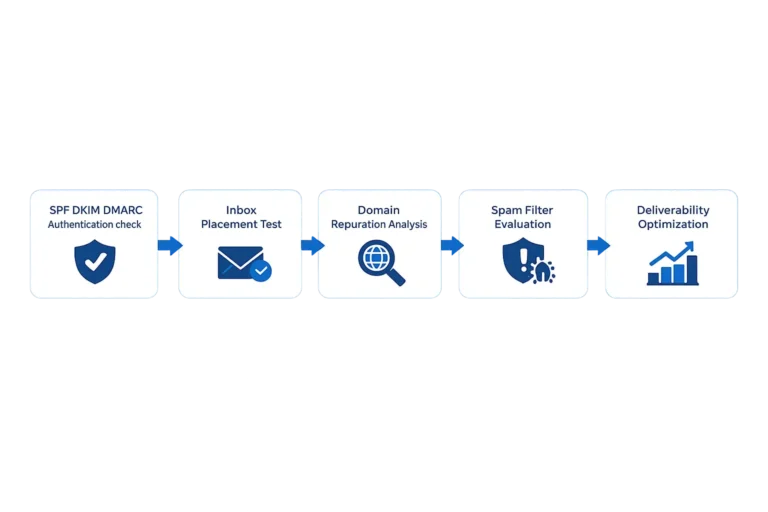
Testing evaluates domain reputation, authentication records such as SPF, DKIM and DMARC, and spam filtering signals used by providers like Gmail and Microsoft 365. If authentication is misconfigured, it can cause emails to land in spam folders instead of the inbox.
Many deliverability problems are caused by authentication errors. If your records are not configured correctly, follow our SPF DKIM DMARC setup guide to ensure proper email authentication.
How to Test Email Deliverability
- Verify SPF, DKIM and DMARC authentication
- Run inbox placement tests
- Analyze domain reputation
- Review spam filtering triggers
- Monitor bounce and complaint rates
Email Deliverability Testing Tools
Mail Tester
Quick spam score testing and authentication checks.
GlockApps
Inbox placement testing across multiple email providers.
MXToolbox
Domain reputation and email authentication diagnostics.
You can also check authentication and domain reputation using MXToolbox.
Deliverability Testing Checklist
| Test | What It Checks |
|---|---|
| SPF | Sender authentication validation |
| DKIM | Message signing verification |
| DMARC | Authentication policy enforcement |
| Inbox Placement | Inbox vs spam delivery testing |
| Domain Reputation | Sender trust and domain health |
Why Email Deliverability Tests Fail
Deliverability tests often reveal issues with email infrastructure, authentication configuration, and domain reputation. These problems are some of the most common reasons emails go to spam instead of reaching the inbox.
Common problems include missing authentication records, poor inbox distribution, or sending limits that trigger spam filters.
- Missing SPF, DKIM or DMARC
- Poor domain reputation
- Improper inbox distribution
- Spam trigger content
Need Help Fixing Email Deliverability?
If your emails consistently land in spam folders, professional deliverability diagnostics may be required.
Signs Your Email Deliverability Needs Testing
- Low open rates
- Emails landing in spam folders
- High bounce rates
- New domains starting outreach
- Authentication misconfiguration
Email Deliverability Testing FAQs
What is email deliverability testing?
Email deliverability testing checks whether emails reach the inbox instead of spam folders by analyzing authentication, domain reputation, and spam filtering signals.
How can I test inbox placement?
Inbox placement can be tested using deliverability tools that send emails to multiple providers and measure inbox versus spam placement.
Why do emails land in spam folders?
Emails usually land in spam due to authentication issues, poor domain reputation, spam trigger content, or incorrect email infrastructure configuration.
How often should email deliverability be tested?
Deliverability should be tested before launching campaigns and periodically during outreach to monitor domain reputation and inbox placement.